Setup
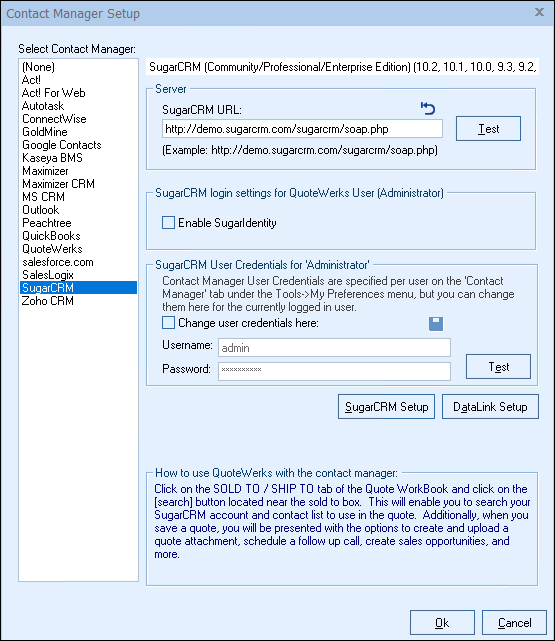
Select the Contacts -> Setup Contact Manager menu to choose your contact manager. Select the SugarCRM option:
SugarCRM URL
Enter the SugarCRM URL here so that QuoteWerks can communicate with it. After typing in the URL (make sure to include the ‘/soap.php’ portion), click on the [Test] button to make sure that QuoteWerks can communicate with the server at the URL you have specified.
If the SugarCRM URL is empty, you can click on the  icon to pre-fill the SugarCRM URL with the SugarCRM demo server URL.
SugarCRM User Credentials
QuoteWerks needs your SugarCRM login ID and password to log into and integrate with SugarCRM. These credentials can be specified for the currently logged in user on this setup window as shown above, OR the Contact Manager Tab of the user’s Tools -> My Preferences menu.
Next, click on the [SugarCRM Setup] to setup the integration with SugarCRM Opportunities.